Pockentry

Flexible workflow and operations management

Build the way you work. Let Pockentry keep it on track.

Run recurring records, follow-ups, tasks, approvals and reporting in one platform. Pockentry adapts to your operation, while your team starts immediately with simple forms on web or mobile.

Workflows built around your needs

Simple web and mobile entry

Team, role and permission controls

Approvals, reminders and reporting

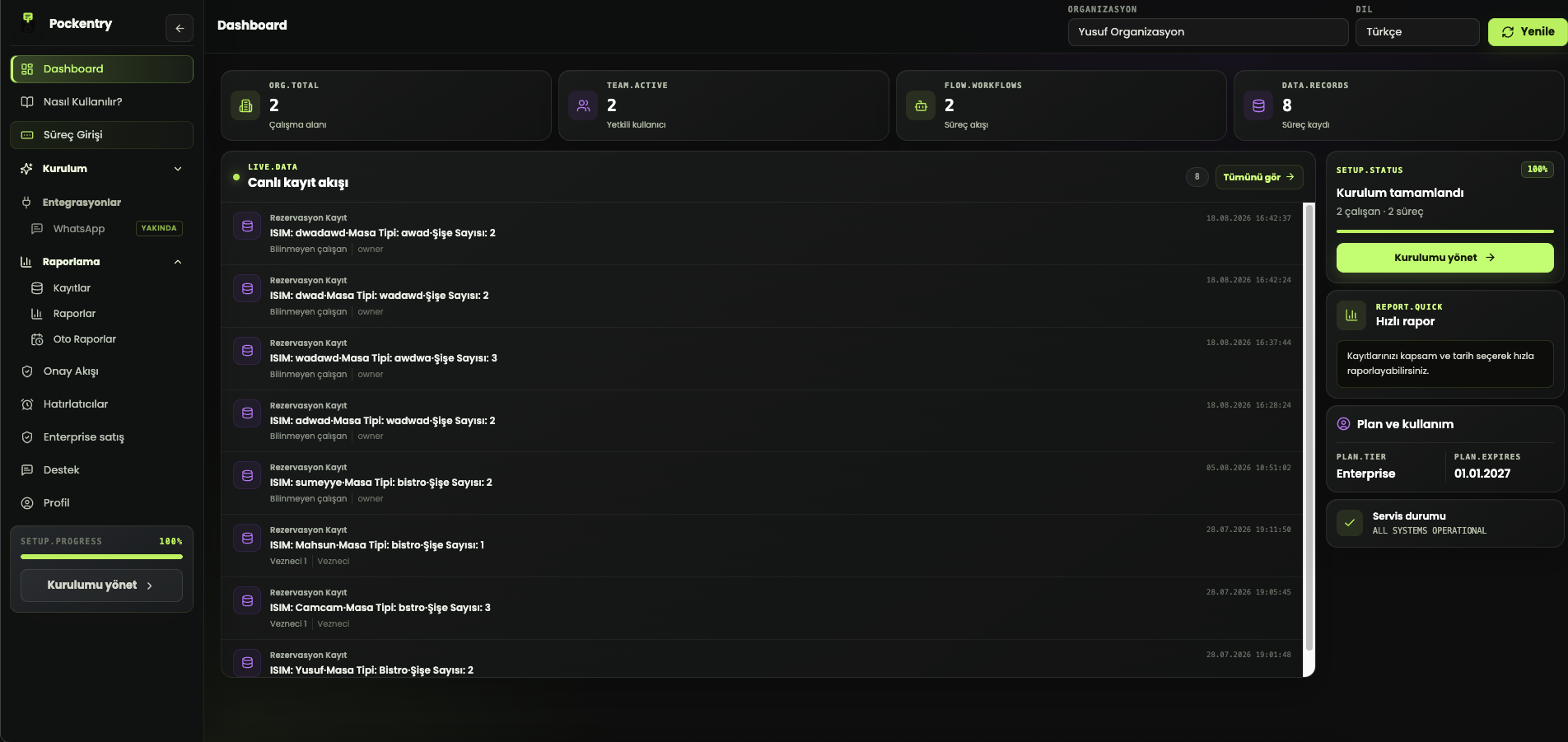
Pockentry dashboard and live record feed

Move from fixed tools to a system shaped around your operation

Bring spreadsheets, scattered forms and person-dependent follow-up into one workspace. From sales to field checks, expenses to reservations, you decide what needs to be tracked.

Records live across files, forms and individual inboxes.

It is hard to see who completed or approved what.

Recurring work depends on manual reminders and checks.

Data must be reorganized every time a report is needed.

Pockentry in four steps

Describe it, set it up, and start working

1

Define the workflow

Describe what you need to track or build the fields yourself.

2

Bring in your team

Add users and decide who can use each workflow.

3

Collect records

Let the team submit through clear forms on web or mobile.

4

Review and report

Manage approvals, reminders, records and outputs in one place.

LIVE EXAMPLE
GETTING STARTED

How does Pockentry work?

The shortest path from creating your first workflow to generating a report.

Interactive product tourTry each step to discover how a workflow moves through Pockentry.
Step 1 / 5

Create your workflow

Define a repeated business task as a workflow. If you take reservations, start with “Reservation Entry”.

Customer login
Example workflow
Faster setup

A record flow for every kind of work

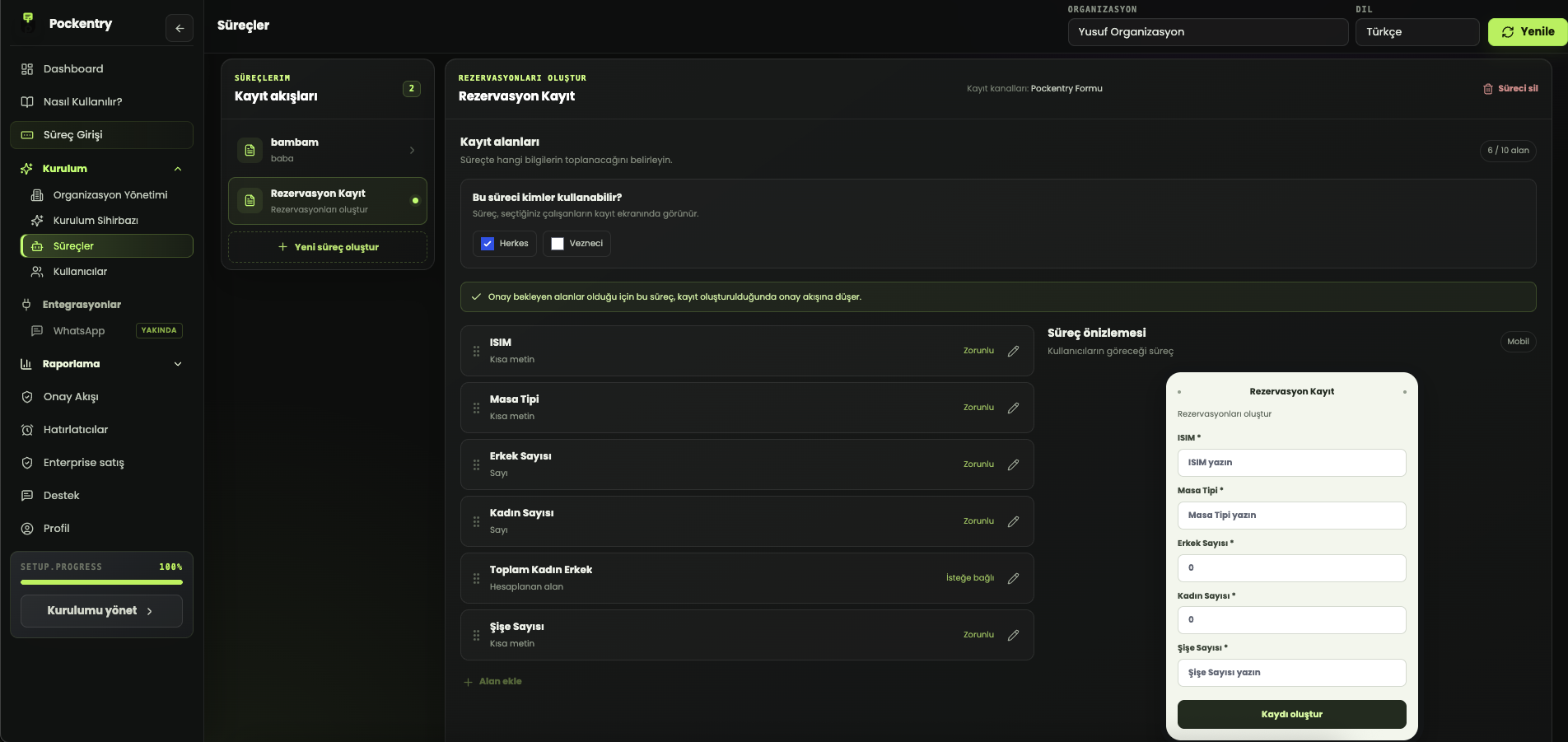
Define fields, data types, requirements, calculations and approval rules. The workflow creation assistant turns a short description into a first draft, helping you get set up faster.

Daily sales

Inventory counts

Expense requests

Field visits

Orders and deliveries

Reservation management

Pockentry custom workflow screenPockentry workflow creation assistant
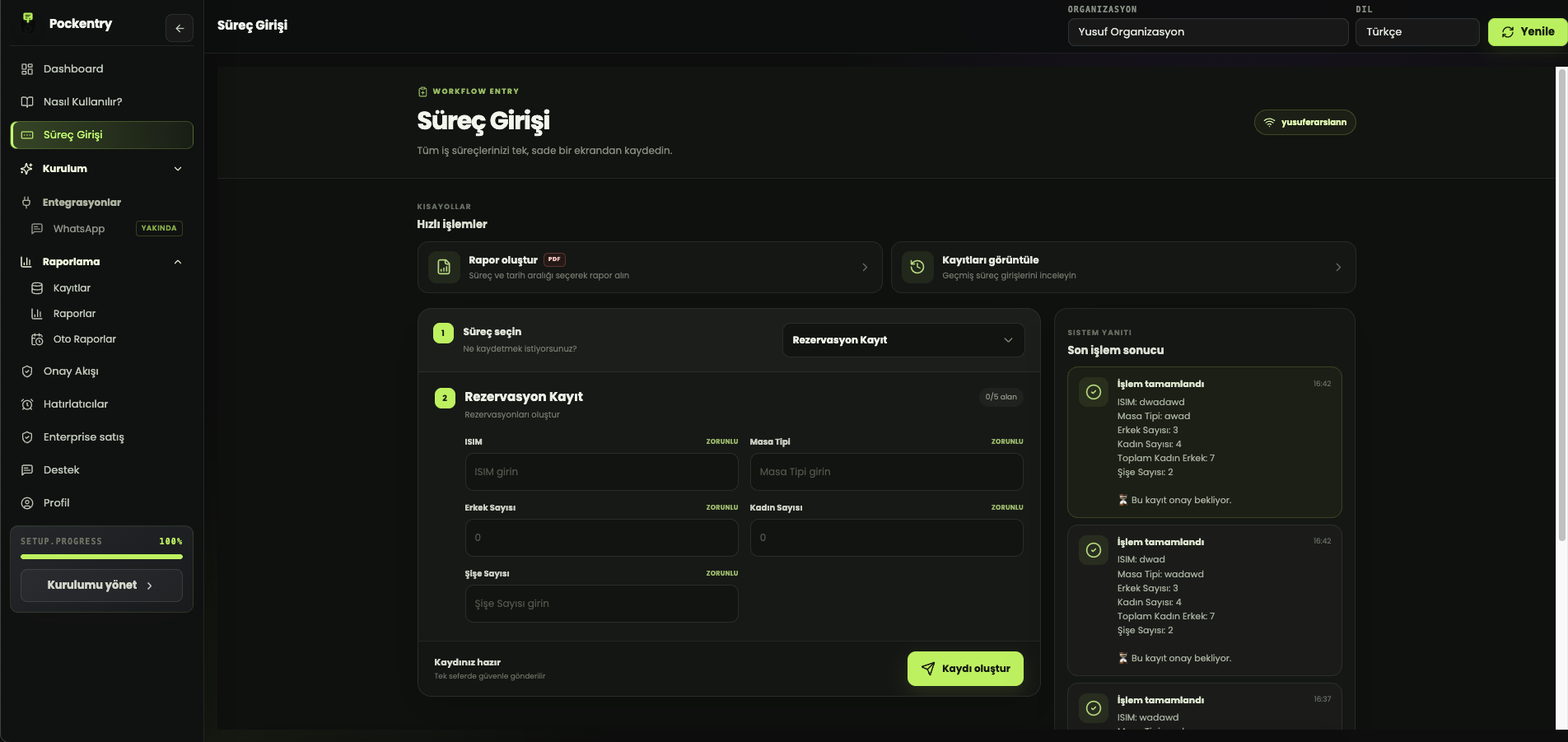
Pockentry workflow entry form

Record entry

Clear and fast for every team member

Users see only the workflows they are allowed to use, open the relevant form and submit. The same clear experience works on desktop or phone.

One flow from data entry to decision

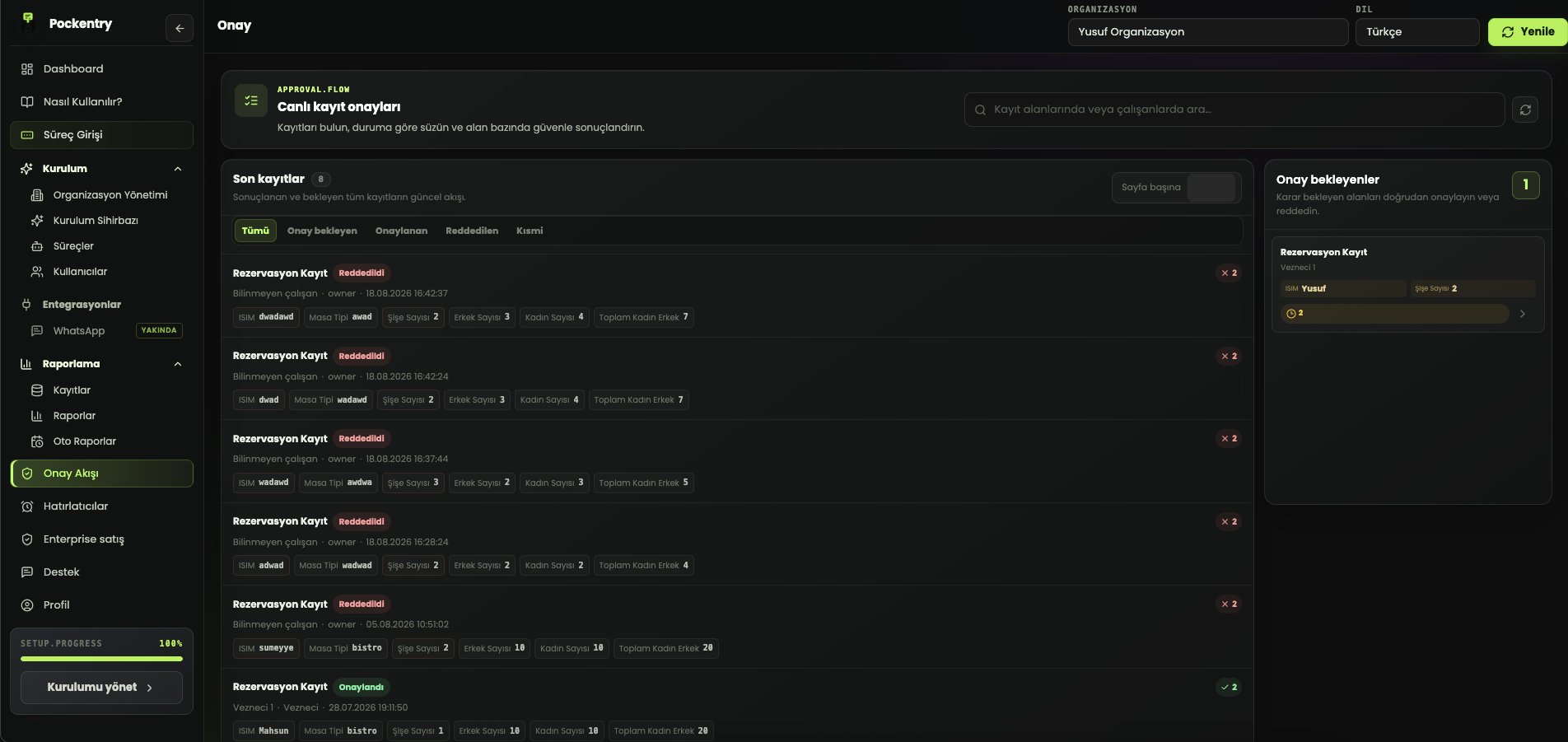
Approval flows

Review expenses, leave, inventory corrections or critical records before they take effect.

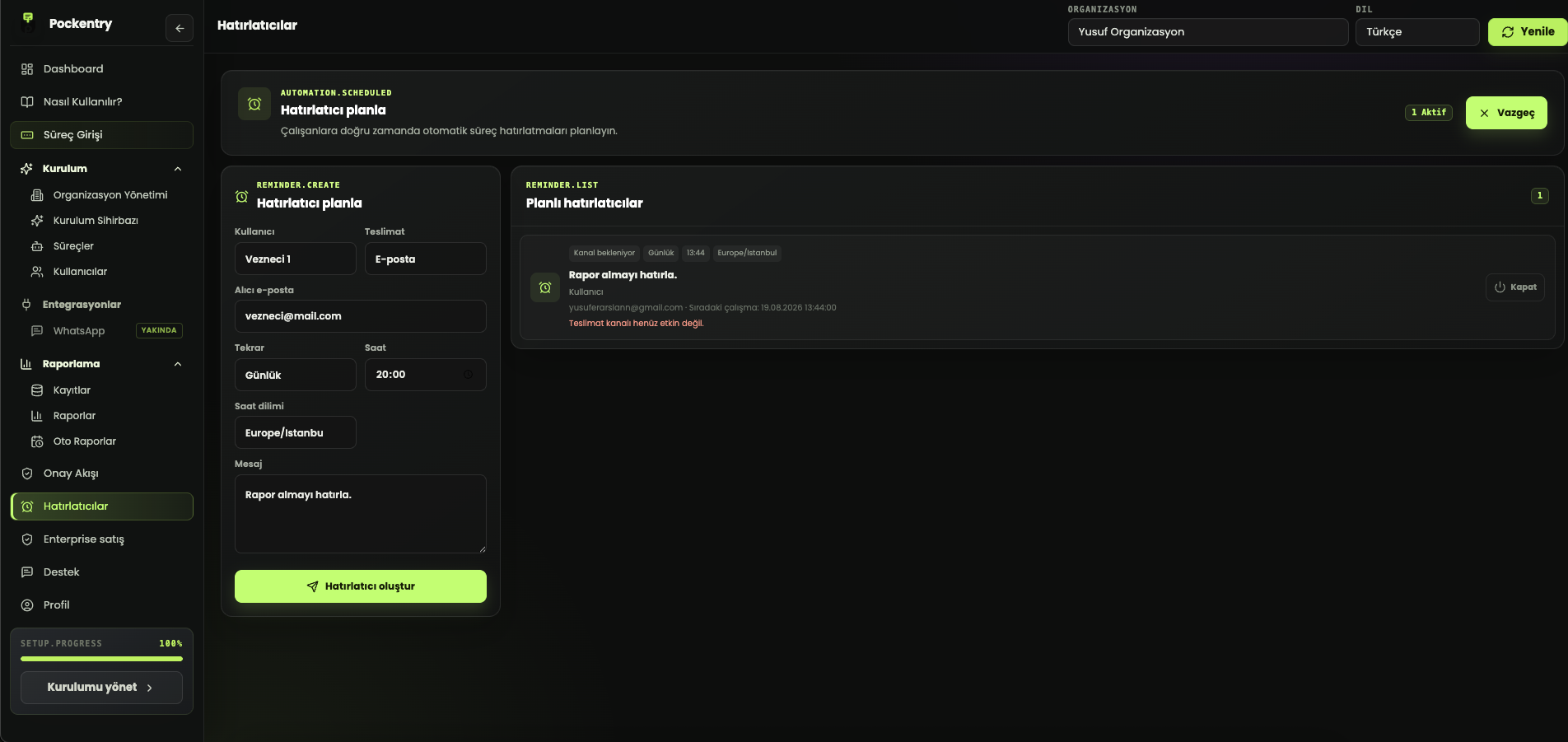
Reminders

Remind the right person about recurring work and deadlines at the right time.

Teams and permissions

Control who can use each workflow and which records they can access.

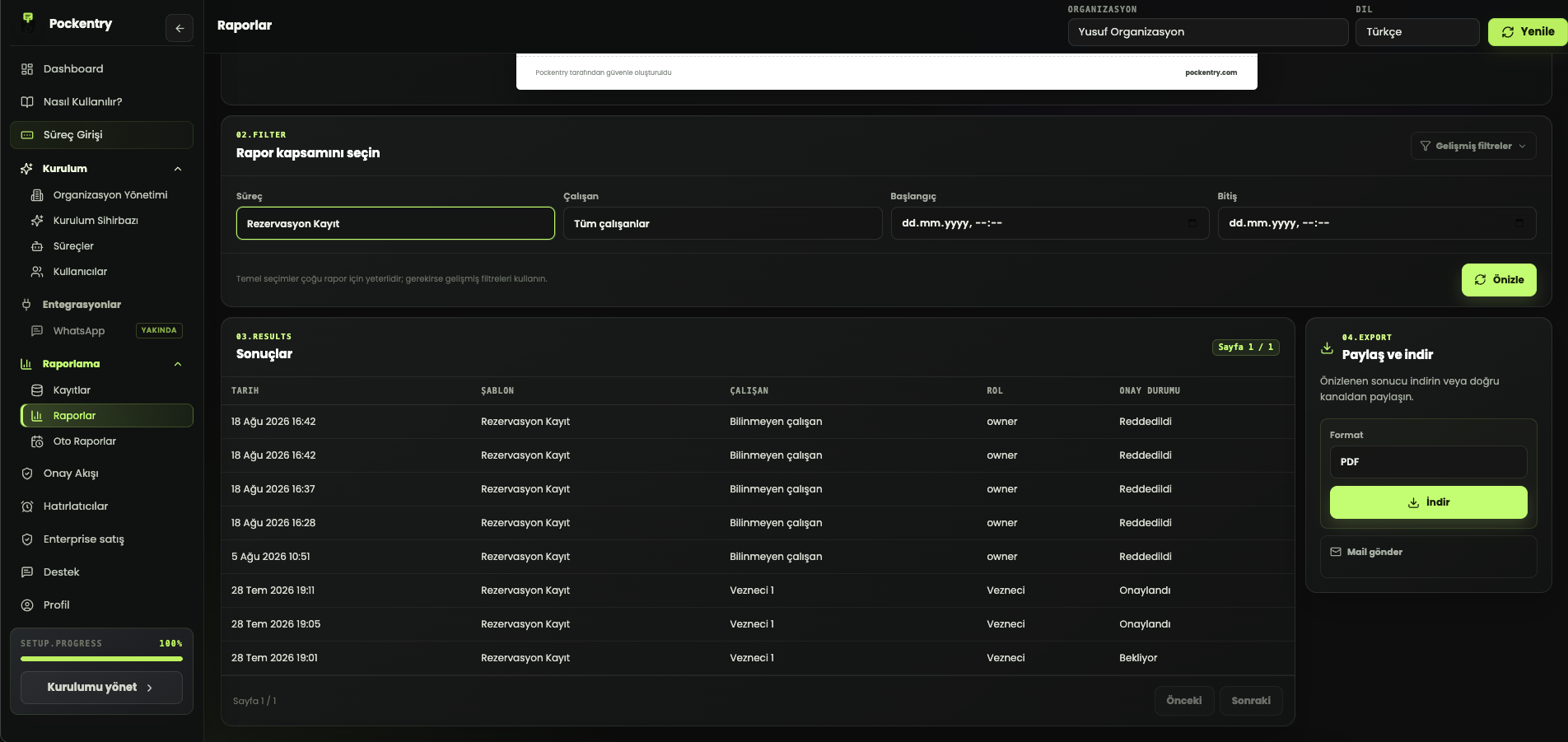
PDF and Excel

Export filtered records as ready-to-use operational reports.

Operations calendar

See dated records on a calendar and follow upcoming work in one place.

Live charts

See workflow and employee distribution instantly with basic charts.

Pockentry approval flow screenPockentry reminder scheduling screen
Pockentry reporting and export screen

Do more than collect data—turn it into clarity

Filter records by workflow, team member, date and approval state. Design your report view, export PDF or Excel files, and automate recurring reviews with scheduled reports.

Custom report design

Advanced filters

PDF and Excel exports

Scheduled reports

A new generation operations workspace

Accelerate setup, see time clearly, and lock critical knowledge

Pockentry does more than collect records. It builds a starting point around your business, makes dated work visible, and keeps shared team knowledge in a secure vault.

End-to-end onboarding with AI

Describe your business and start with workflows ready to review

AI onboarding prepares multiple workflow and field drafts from your business description. You choose the suggestions, install them together, and keep the final decision in your hands.

Multiple workflow suggestions

Drafts complete with fields

Selective setup with human review
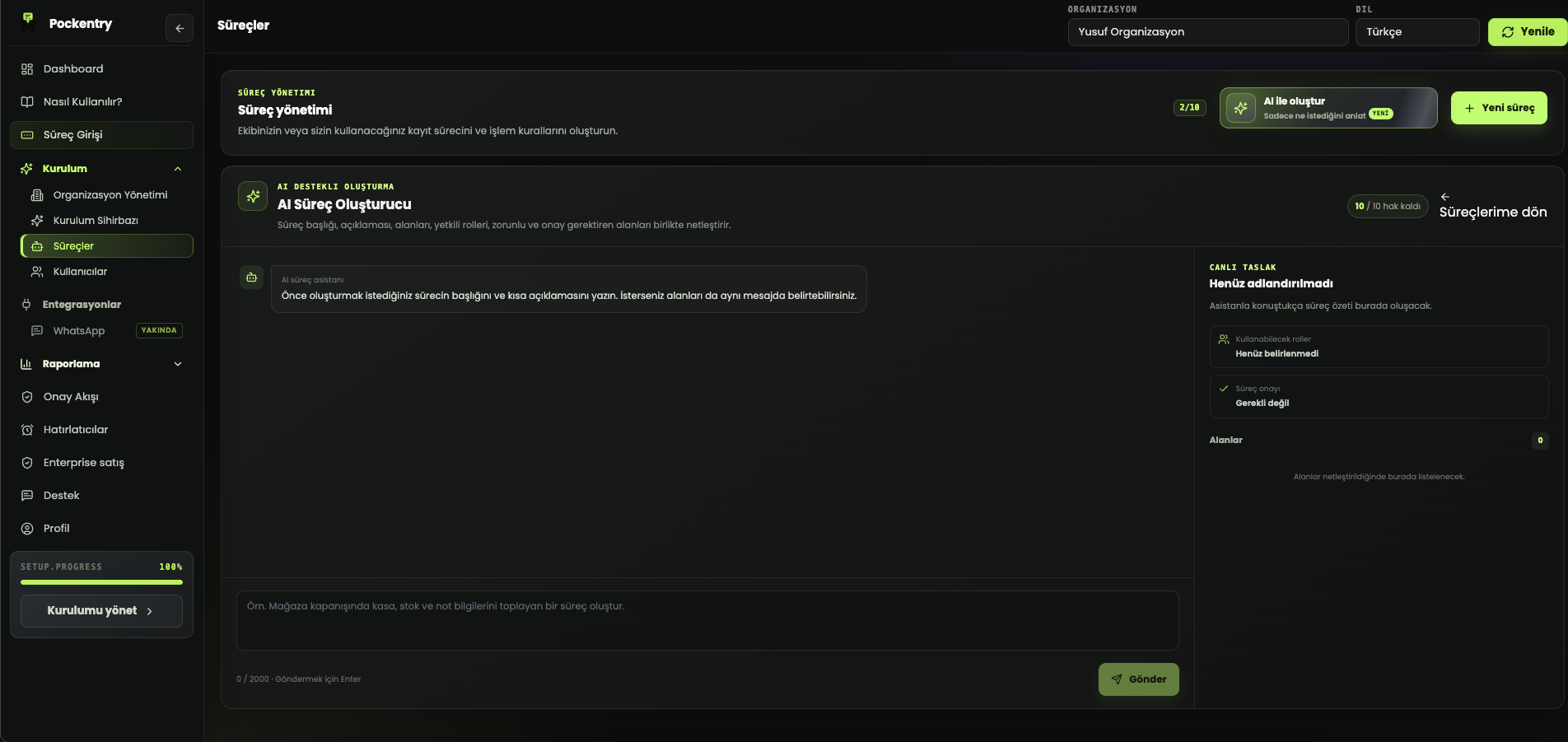
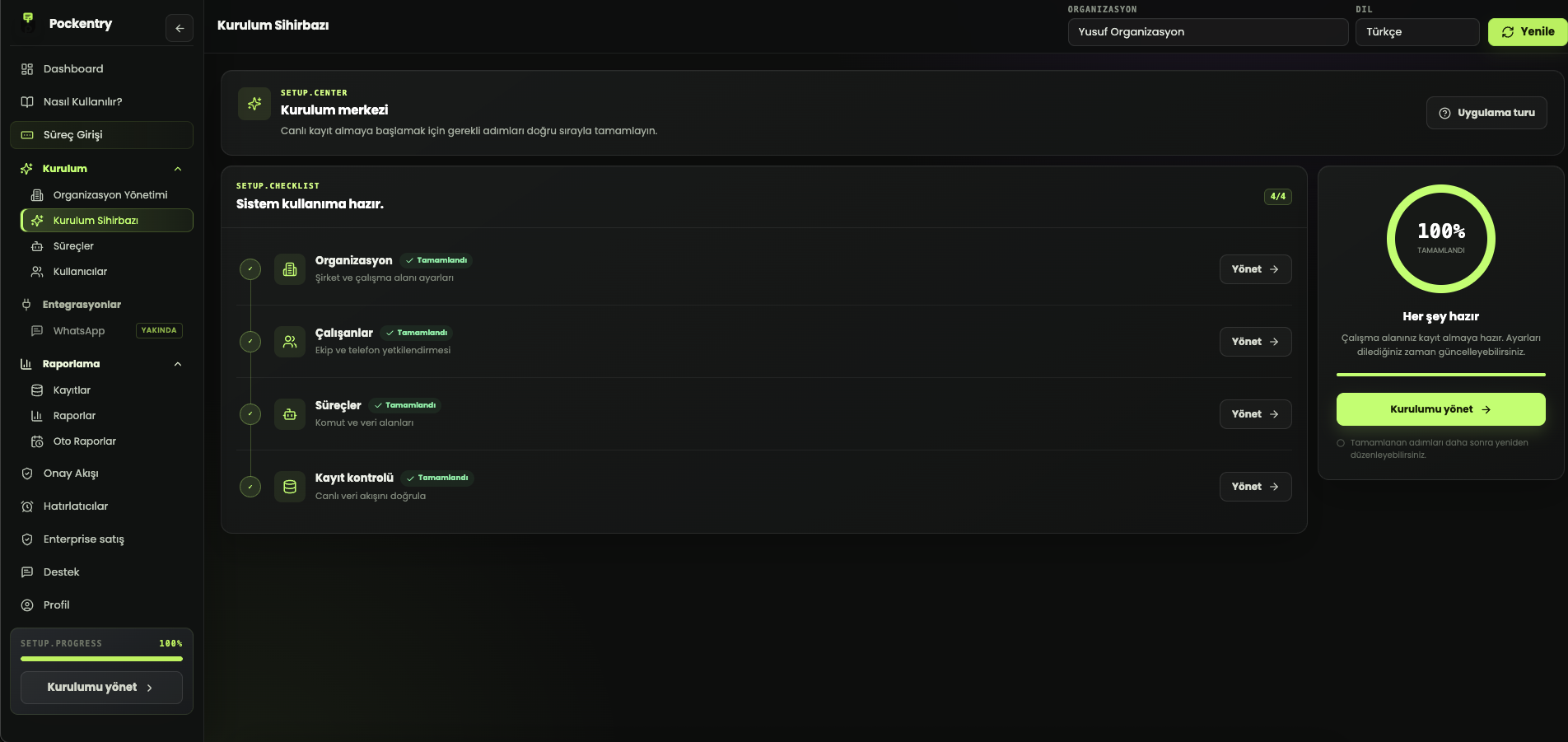
Pockentry AI-assisted workflow creation screen Pockentry completed setup center
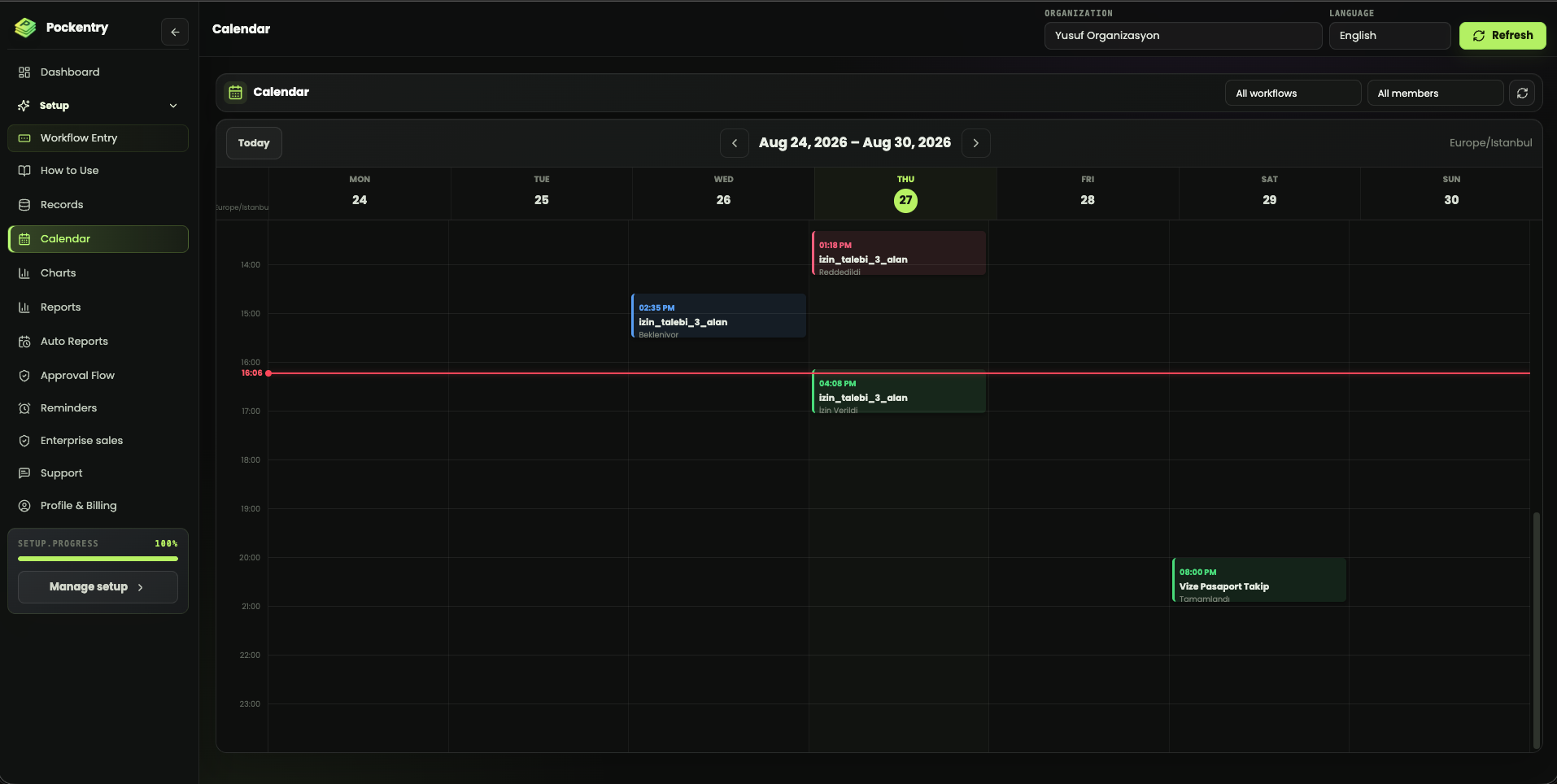
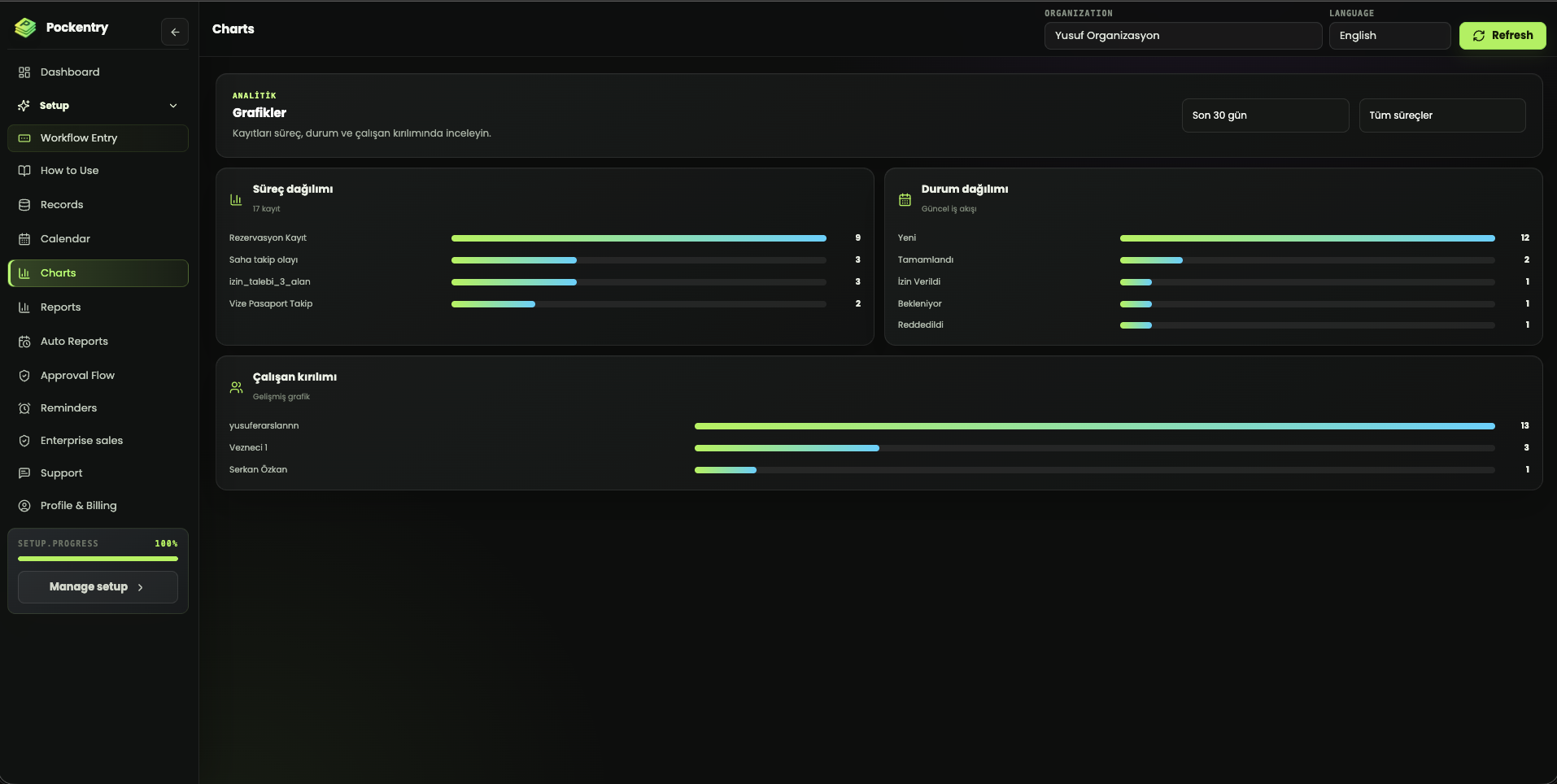
Pockentry weekly operations calendar Pockentry workflow and team analytics charts
Calendar and analytics

Run today’s work and reveal recurring bottlenecks

Dated records flow into the operations calendar. Review the same data by workflow, status, and team member to manage both upcoming work and overall workload.

Weekly operations calendar

Workflow and team filters

Live status and workload charts

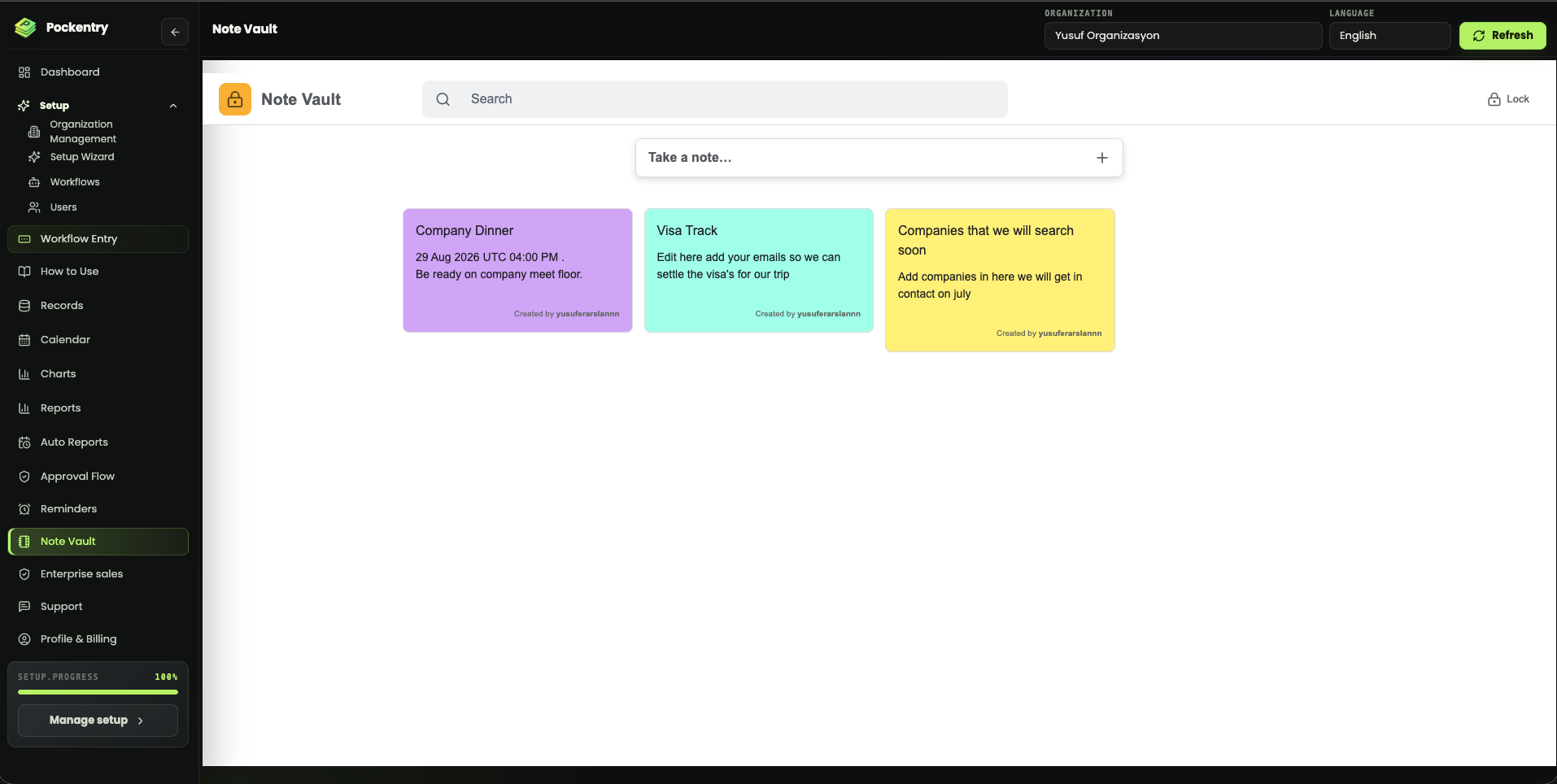
PIN-protected Note Vault

Move shared knowledge out of scattered messages

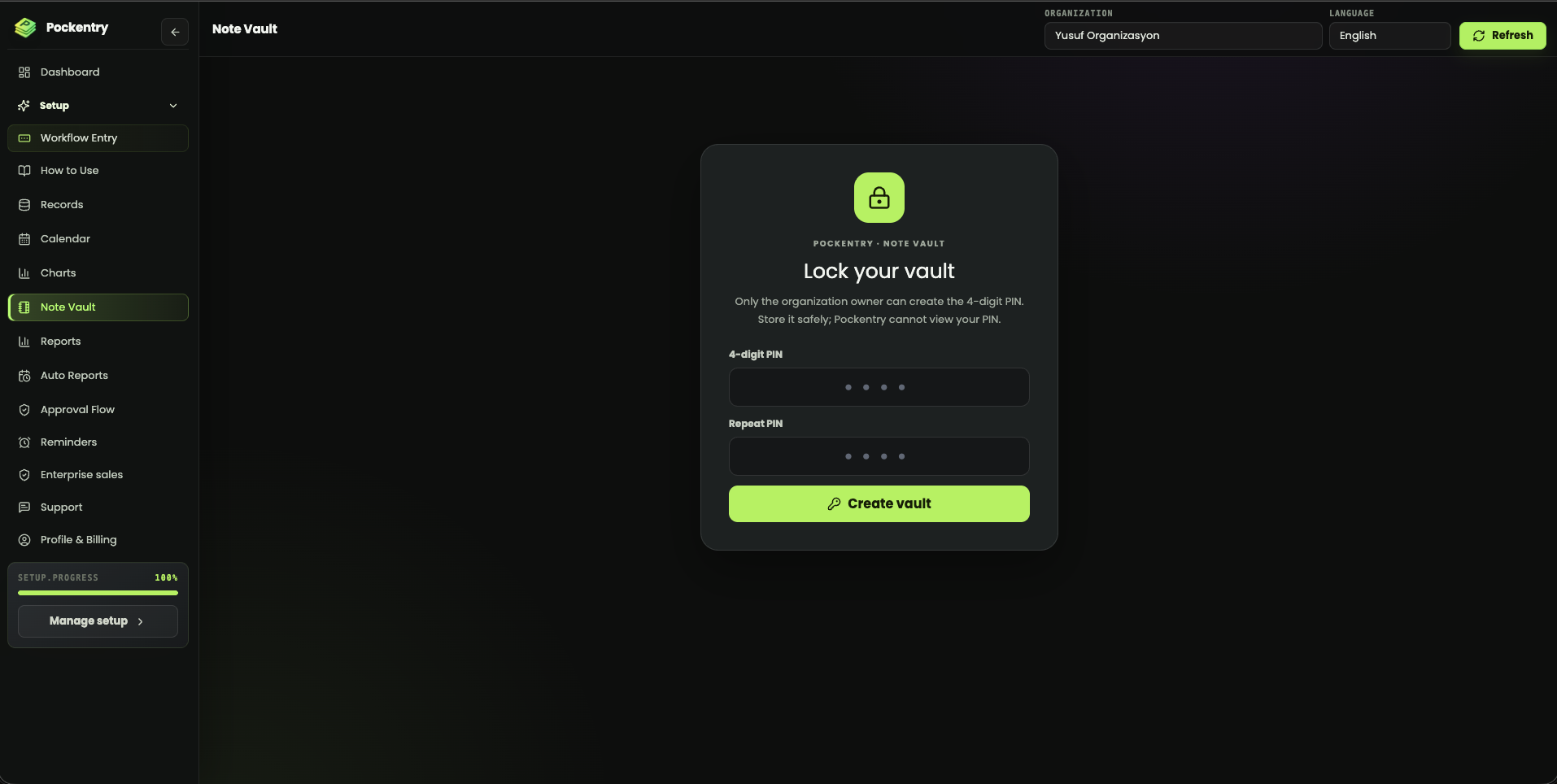
Organize frequently used notes, links, and explanations as searchable color cards. Lock the vault with a four-digit PIN and keep reset control with the organization owner.

Four-digit PIN protection

Searchable color notes

Owner-controlled PIN reset

Pockentry PIN-protected Note Vault lock screen Pockentry searchable shared Note Vault

Frequently asked questions

What exactly is Pockentry?

A flexible workflow platform that runs recurring records, follow-ups, tasks, approvals and reporting for a person or business.

Can we enter records from a phone?

Yes. Pockentry forms work in mobile browsers and require no additional app installation.

Where is AI used?

Only to help create the first draft of a new workflow. Daily use is built around familiar forms, records, approvals and reports.

Can we define our own fields and rules?

Yes. Each workflow can have its own fields, data types, requirements, calculated values and approval needs.

Can records be exported?

Yes. Filtered records can be downloaded as PDF or Excel files, and reports can be scheduled.

Build your own operations system today

Create your first workflow, invite your team and turn scattered follow-up into one clear operating rhythm.

View plans