
Pockentry features
The operations layer for WhatsApp data collection, approvals and reporting
Pockentry reads WhatsApp messages from employees, branches, warehouses and field teams, validates them against templates, routes approvals and turns every submission into reportable records.
Try the live demo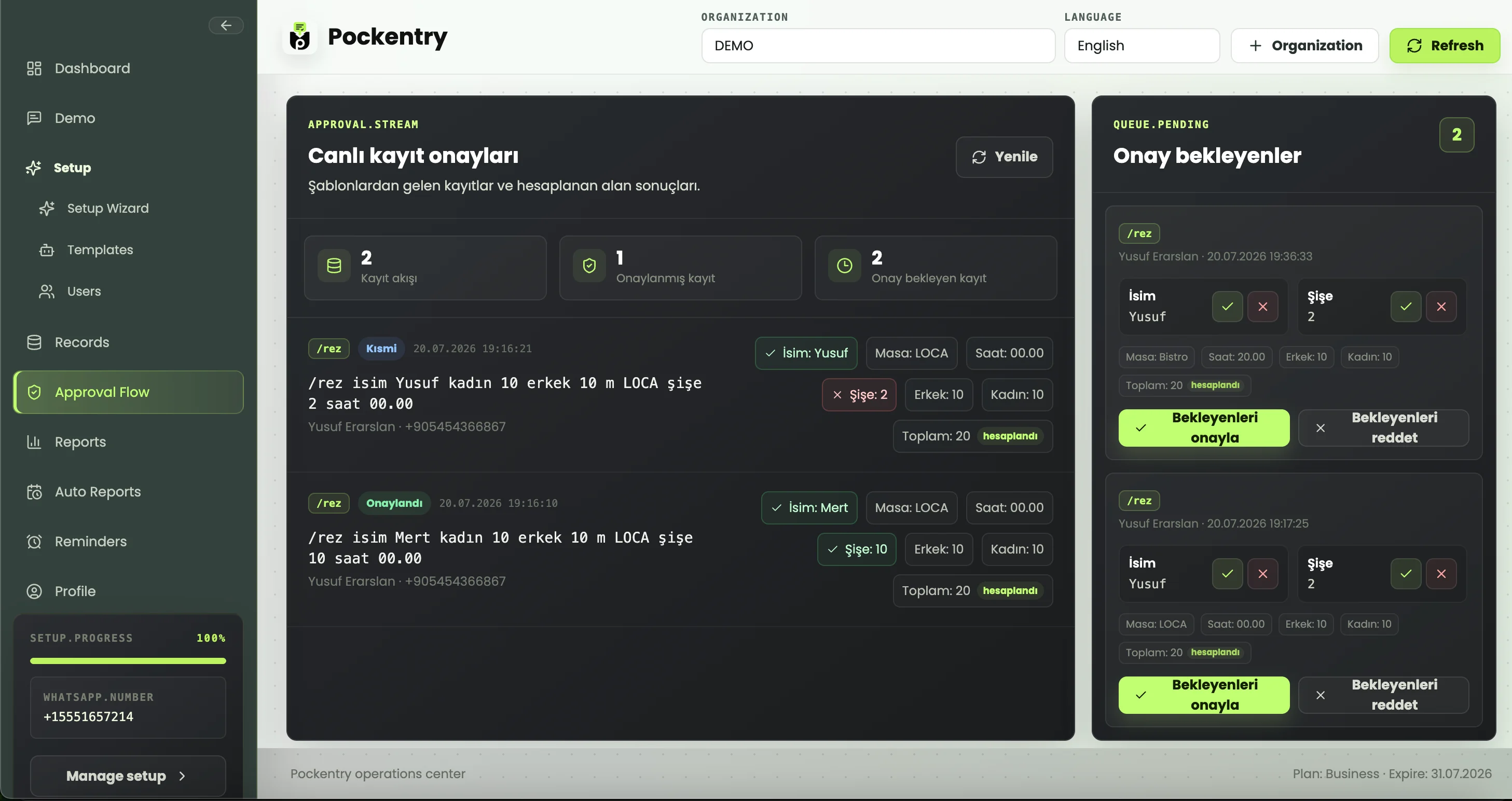
Core capabilities inside the product
WhatsApp data collection
Employees submit records with commands without installing a new app.
Approval system
Expenses, inventory corrections, leave requests, delivery exceptions and purchases can require approval.
Excel and PDF
Filtered records can be exported as spreadsheets or PDF reports.
Email sharing
Prepared reports can be sent to relevant managers by email.
Team and role management
Organization, employee and manager roles stay separate.
Controlled operations
Record states, roles and activity history keep work traceable.
Reminders
Automatic follow-up can be configured for missing or late submissions.
Not a generic bot
Pockentry structures business data instead of acting like a classic chatbot.
01
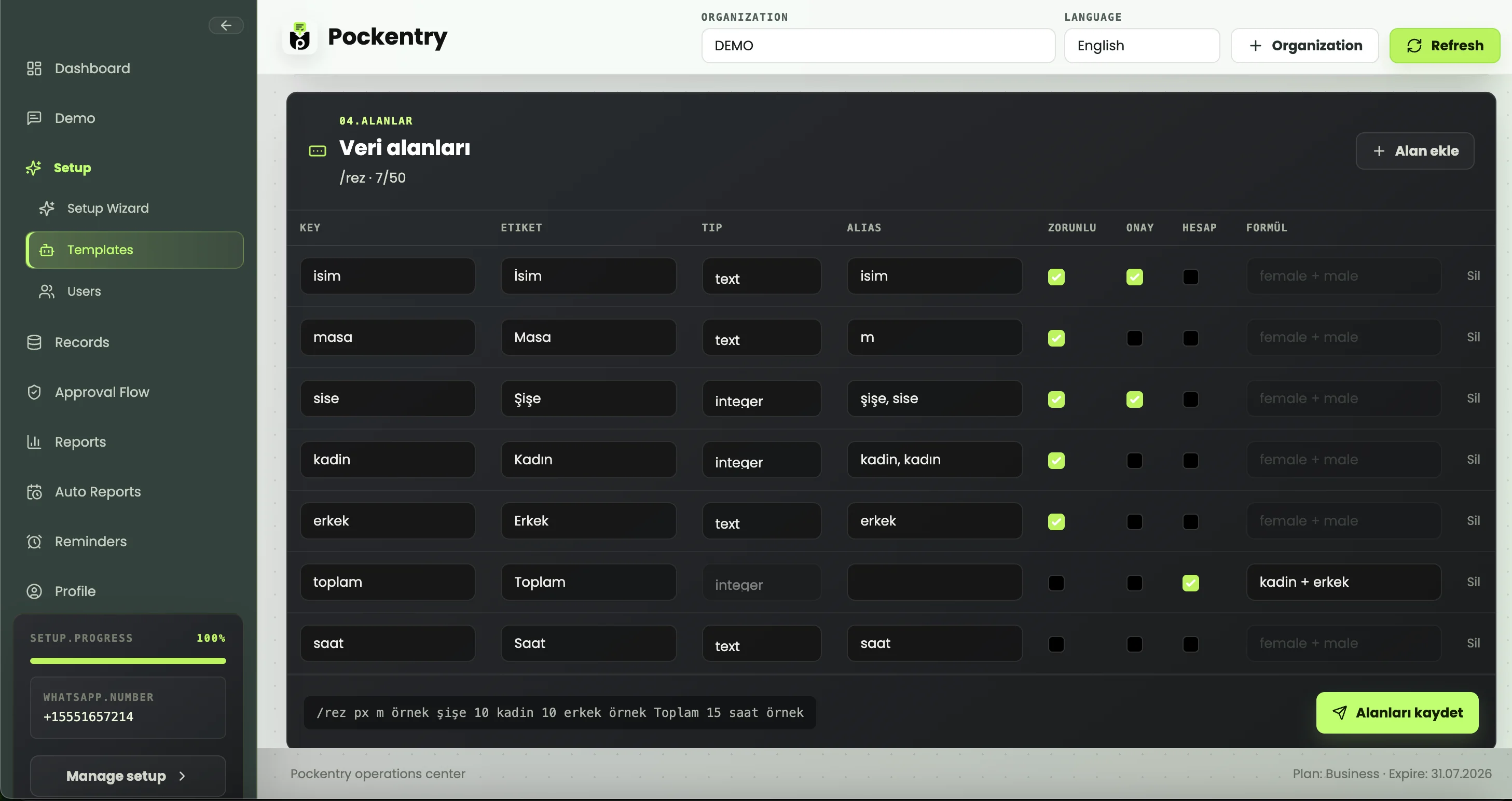
Custom record templates
Define commands, fields, data types, required inputs, calculated fields and approval rules for each workflow. Sales, inventory, delivery, service, expense, reservation and field reports follow the same reliable structure.
Command-based data capture
Required field checks
Calculated fields
Template-level approvals
02
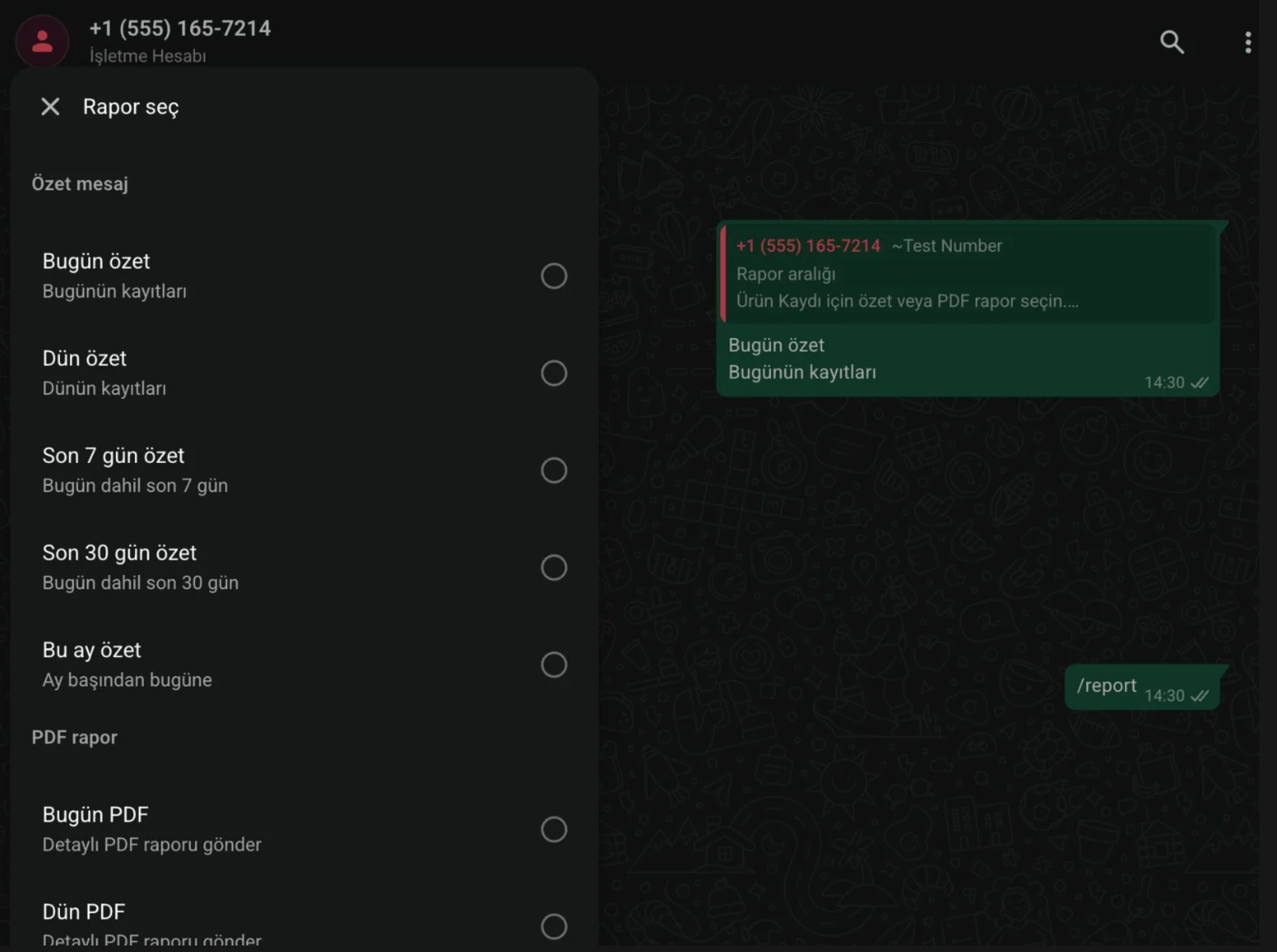
Reports directly from WhatsApp
Authorized team members can request daily summaries, last 7 days, last 30 days or PDF reports inside WhatsApp. It gives managers and teams fast access without opening the dashboard.
WhatsApp report commands
Daily and weekly summaries
PDF report selection
Permission-based access
03
Live actions and approval flow
Records that require approval land in a pending queue. Managers can review the full submission or field-level results before approving, rejecting or cancelling the record.
Pending approvals
Field-level review
Approved, rejected and cancelled states
Activity history
04
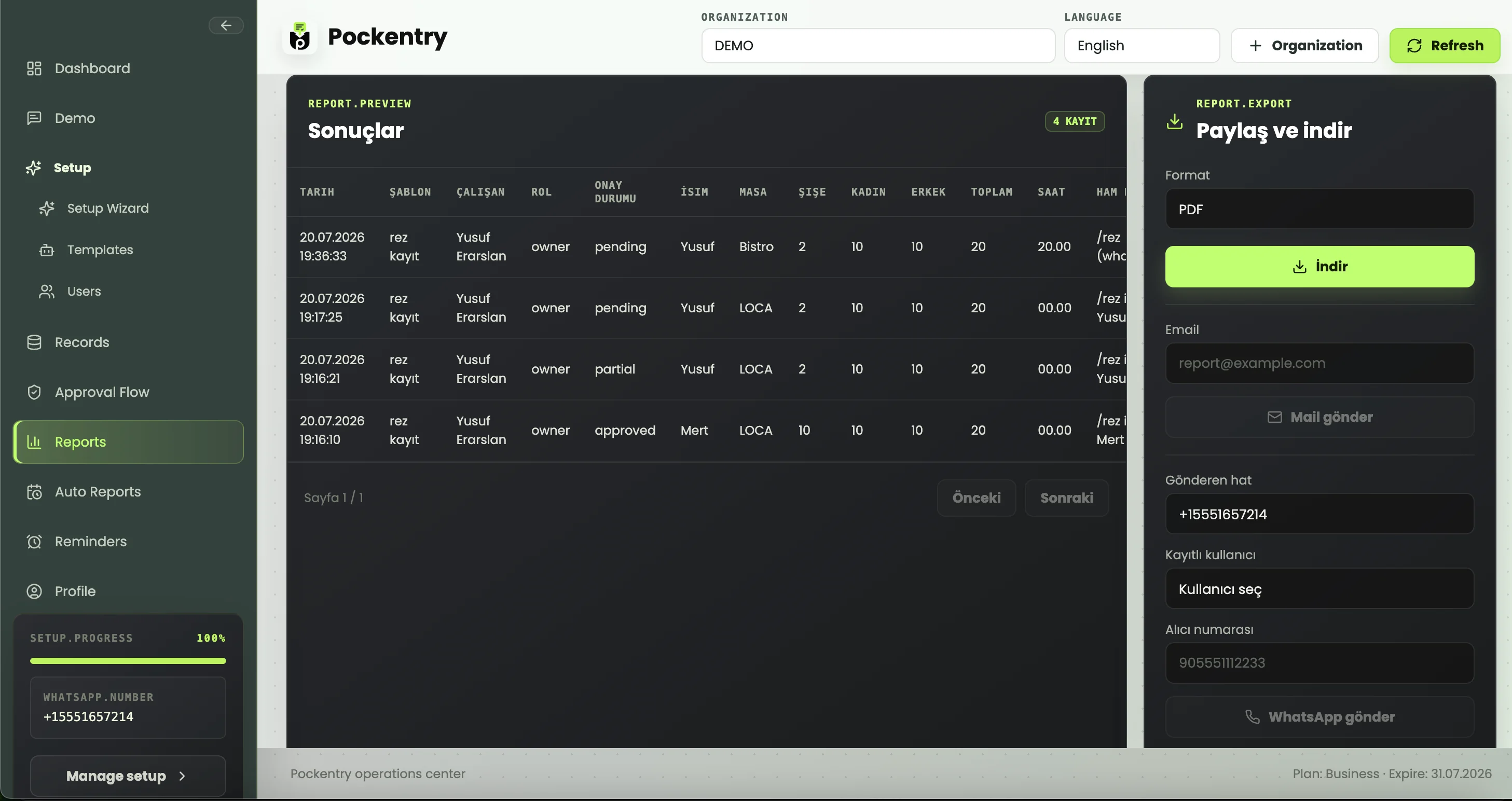
Reports, Excel, PDF and email outputs
Filter records by date, employee, branch, template and status. Download results as Excel or PDF, share them by email or prepare WhatsApp-based report delivery flows.
Filterable tables
Excel and PDF download
Email report sharing
WhatsApp report delivery
05
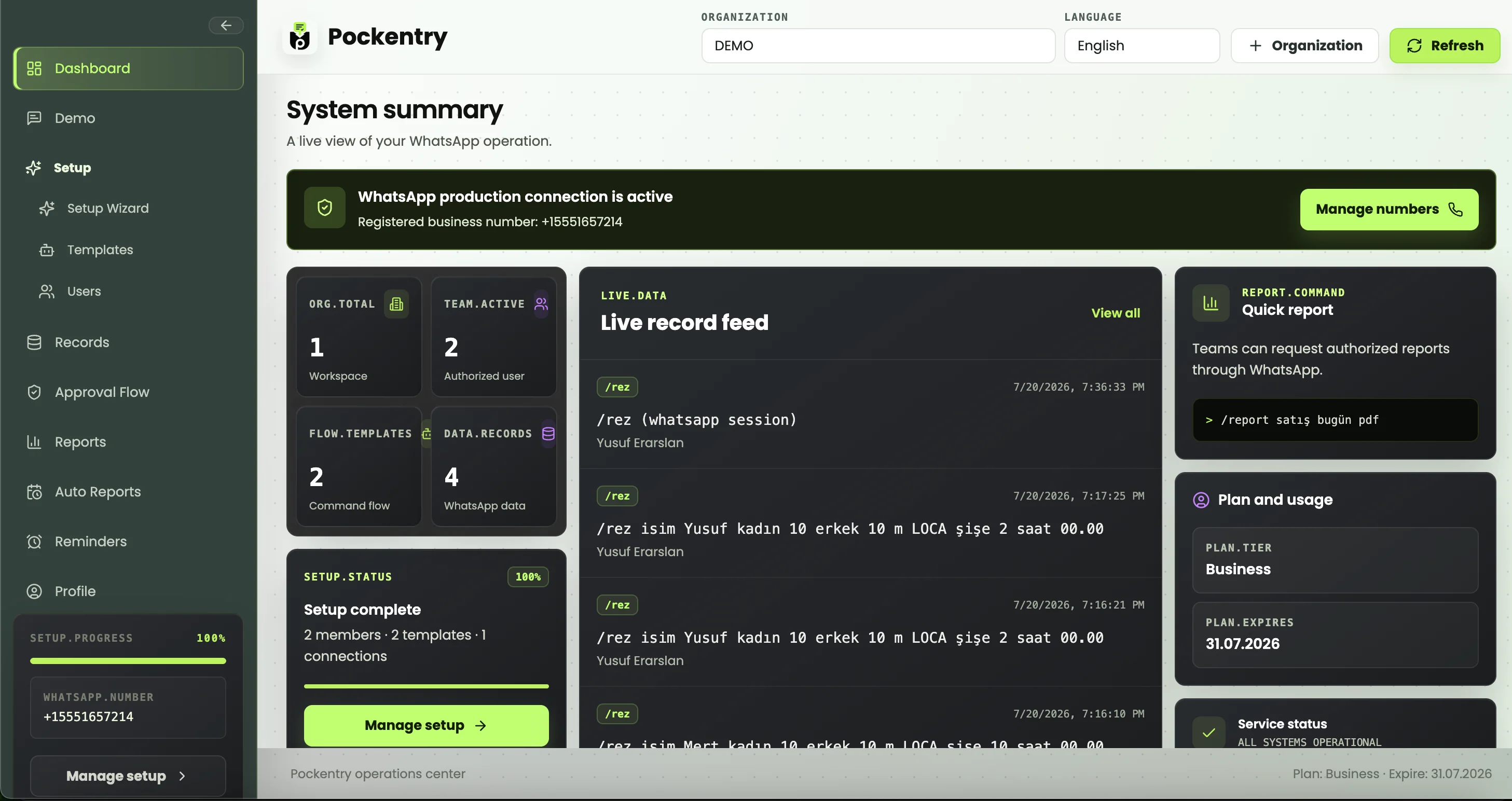
Dashboard and live record feed
See the current state of operations in one place. Connected WhatsApp numbers, active templates, team usage, latest records and quick report commands appear on the dashboard.
Live record list
Organization summary
Setup status
Quick report commands
06
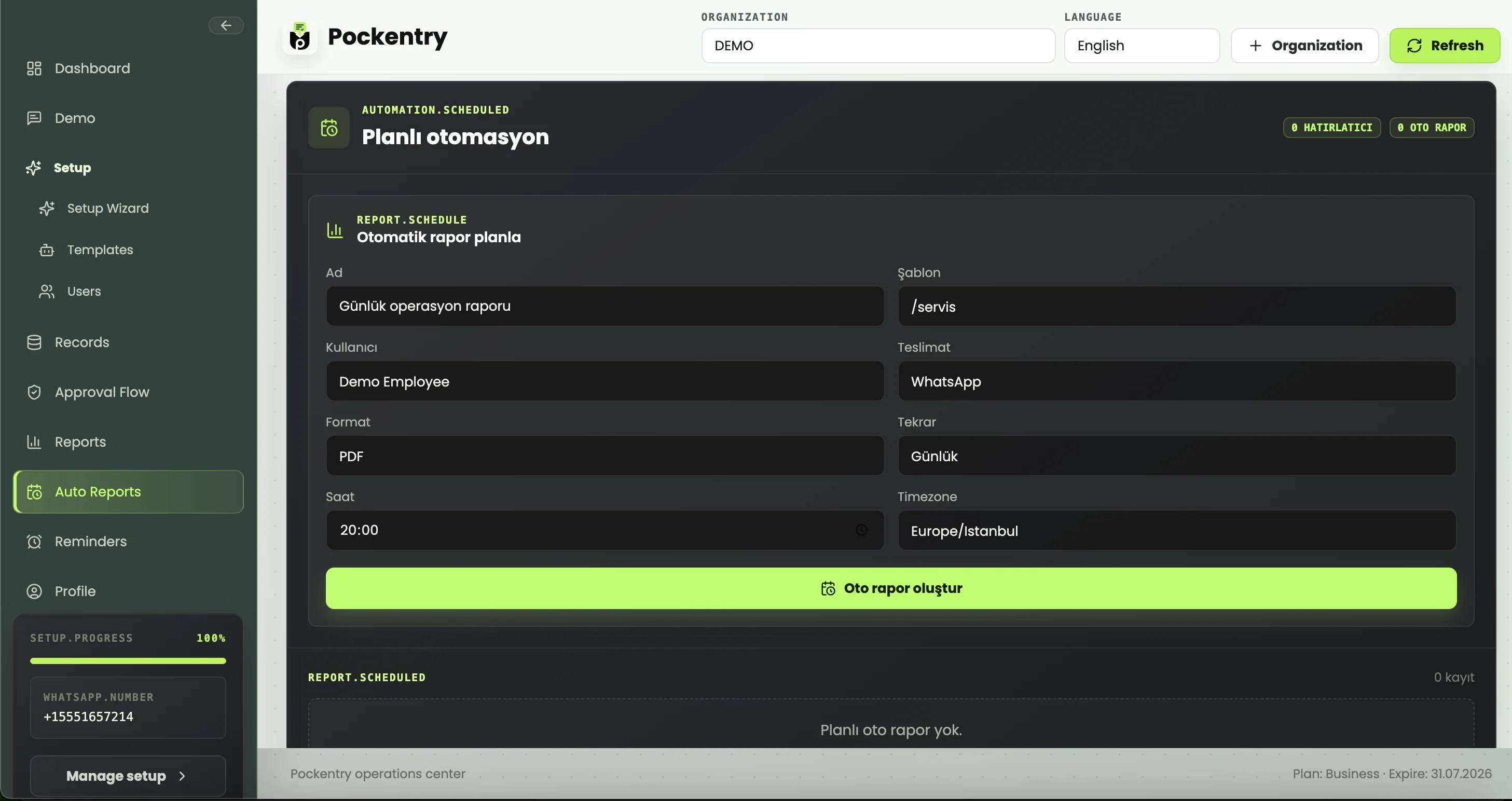
Automation, reminders and scheduled reports
Remind teams about missing daily submissions, prepare scheduled manager reports and automate recurring operational follow-up while keeping WhatsApp as the input channel.
Automatic reminders
Scheduled reports
Missing submission tracking
Recurring workflows
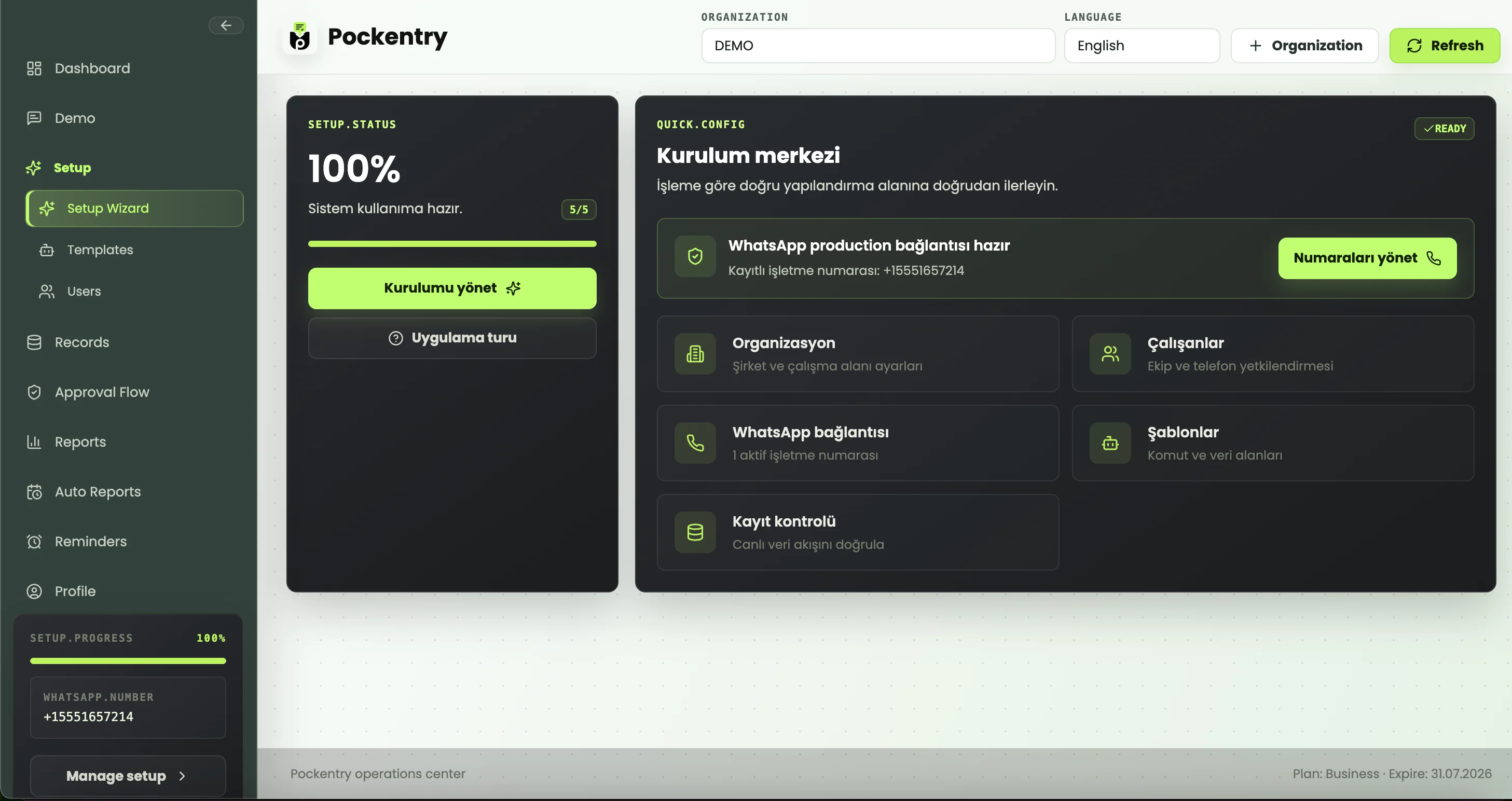
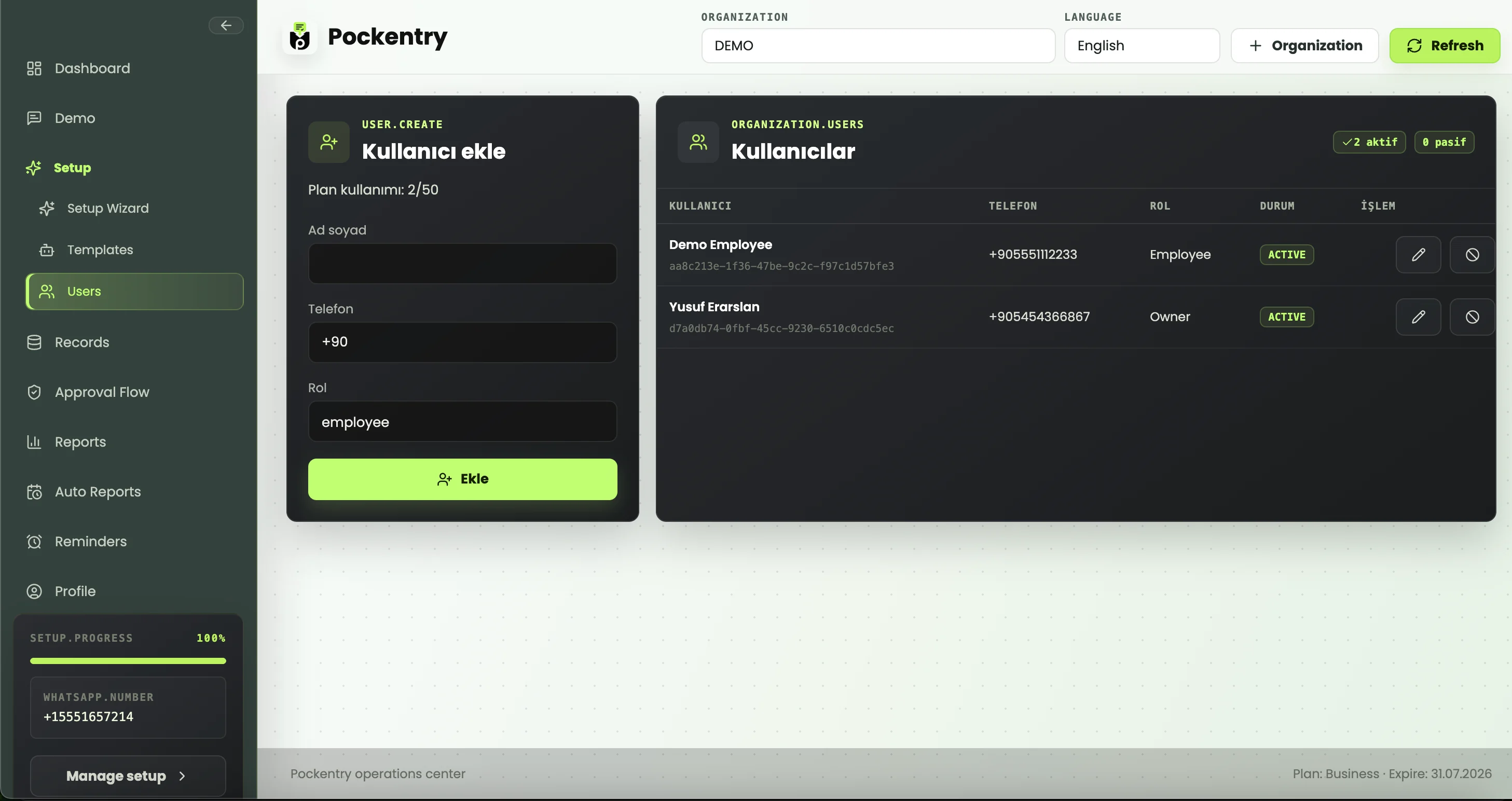
Setup wizard and user control
WhatsApp numbers, organization settings, templates, team roles and report workflows are configured step by step. Managers build the system; field teams keep using WhatsApp.
Try the features in a real WhatsApp flow
Create a reservation in the demo, run the report command and see how Pockentry turns messages into records and reports.
Try the live demoFrom the blog
Operations guides

Daily reporting
WhatsApp Daily Operations Reporting Guide
Collect consistent daily reports from frontline teams through WhatsApp and turn every validated message into an exportable business record.

Field teams
Daily Field Team Report: A Practical WhatsApp Template
Collect visits, outcomes, payments, and follow-ups from field employees with a consistent WhatsApp template.

Branches
How to Collect End-of-Day Sales Reports from Multiple Locations
Collect revenue, returns, payment totals, and cash variances from every location through one WhatsApp format.