
How to Design an Effective Tracking Workflow
A practical method for defining fields, ownership and states without creating unnecessary complexity.

A good workflow does not ask for every possible detail. It captures the information needed for a decision, from the right person and at the right moment. A common setup mistake is building a long form before understanding the real operation and marking every field as required.
Define the outcome first
Write the question the workflow must answer in one sentence. Replace “What did the field team do?” with a measurable outcome such as “Which planned visits were completed and which need follow-up?” A field that does not support that outcome may not belong in the form.
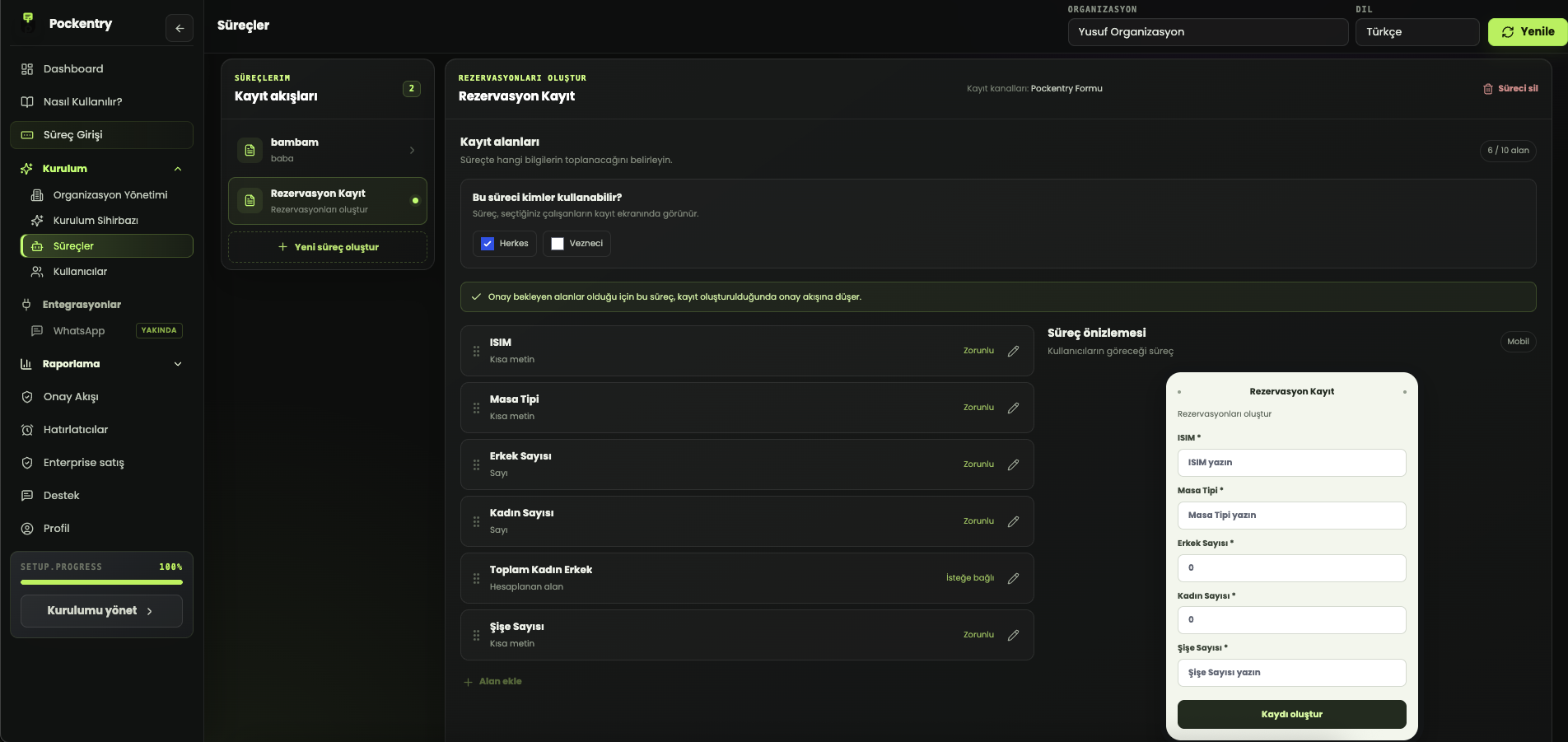
Group fields into three categories
- Identity: record, customer, location or job number.
- Activity: quantity, state, date, outcome or notes.
- Control: owner, approval state, follow-up date and evidence.
Using free text everywhere makes reporting difficult. Use controlled choices for values that will be compared, such as state, location or outcome. Keep notes for exceptions and context.
Limit required fields
A field should be required only when the record becomes unusable without it. Adding data because it may be useful later leads to late or careless submissions. Start with fewer fields and expand from real usage.
Review it with the person doing the work
The manager designing a process and the employee completing it have different needs. During the first week, review real records to find unclear fields, missing choices and completion time. A good workflow can be completed without reopening instructions.
Pockentry lets you configure fields, data types, calculations and approvals for each workflow. The creation assistant can accelerate the first draft, but the strongest result comes from simplifying it around real team use.